 Bump Diary
A pregnancy diary for two
One photo a day becomes your story.
Share every week of your pregnancy with your partner, with NHS guidance, gentle planning tools and a bump movie at the end.

- Built on NHS guidance
- One diary, two phones
- No adverts, no tracking
- Contraction timer on your Lock Screen
- Works with Apple Health

Together
One diary, two phones.
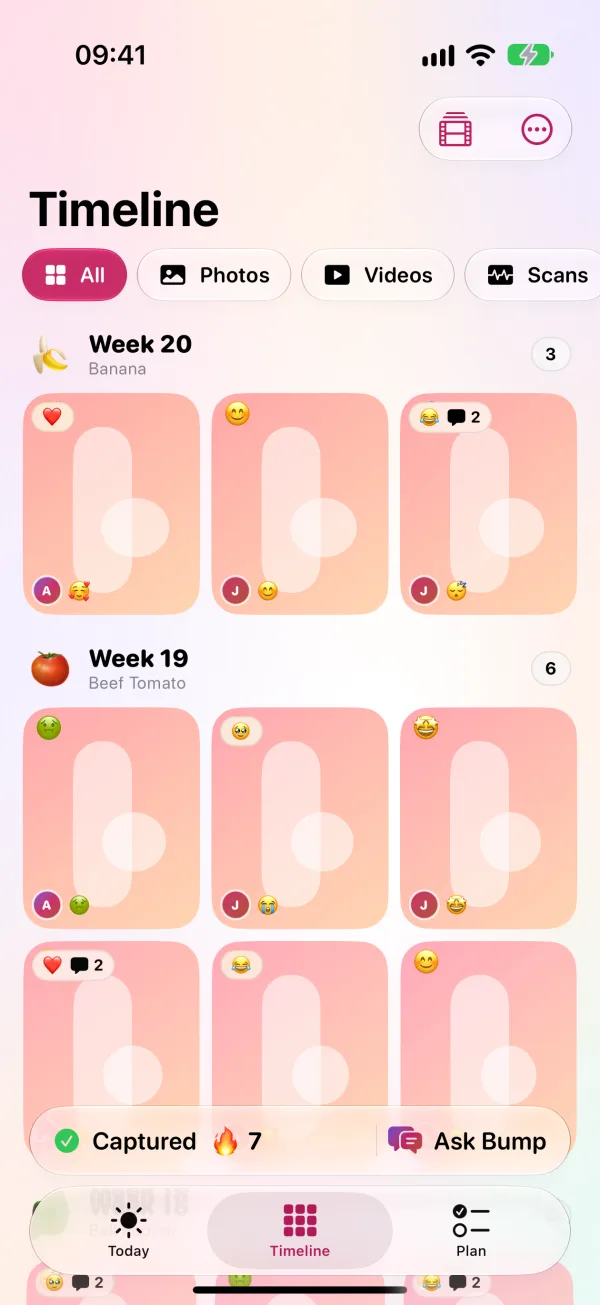
You both add moments, react and comment. Your partner gets NHS tips for their side of it, and a nudge whenever you add something new.
You both add moments
Photos and short videos, with a mood, a caption and an answer to the daily question.
React and comment
On each other's moments, with a notification when your partner adds one.
Tips for partners
From the NHS advice for partners, chosen for each stage of pregnancy.
A bump movie at the end
Every photo, stitched into a gentle time-lapse with music.
See it in 20 seconds
From your first bump photo to your bump movie, and everything you'll share along the way.
The journey
With you from first scan to first smile.
Growing
Your baby, week by week
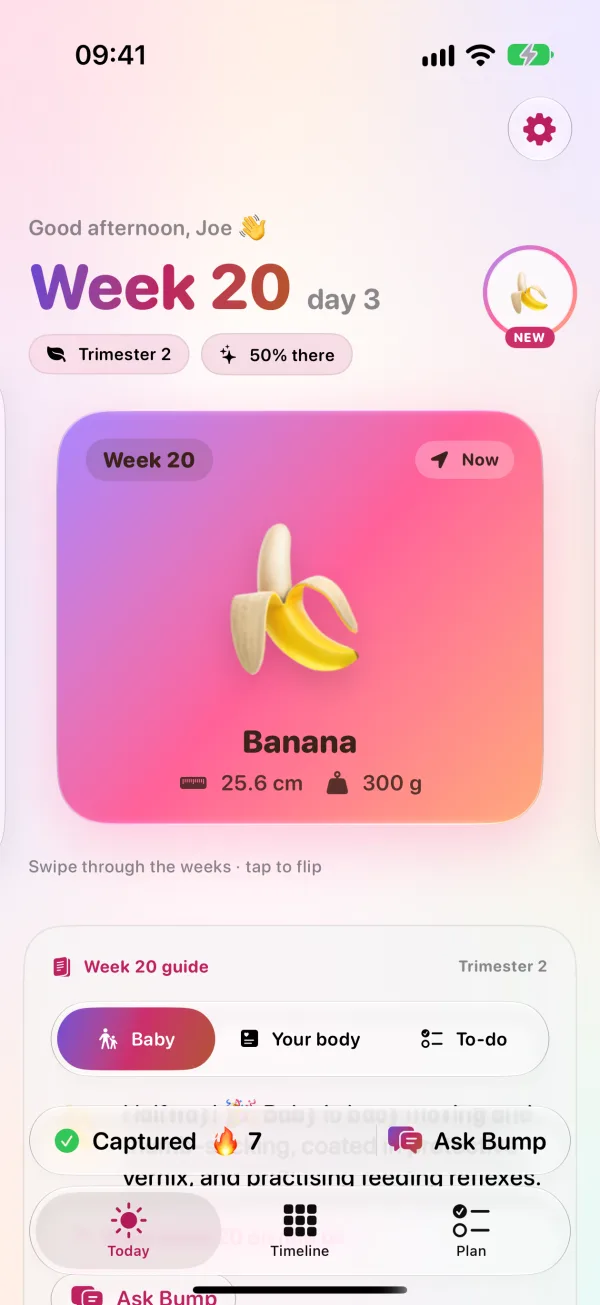
What size your baby is, what's changing in your body, and what to do this week, all summarised from the NHS week-by-week guide.
A short daily story
A few gentle cards each day about where you are in your pregnancy.
Ask Bump
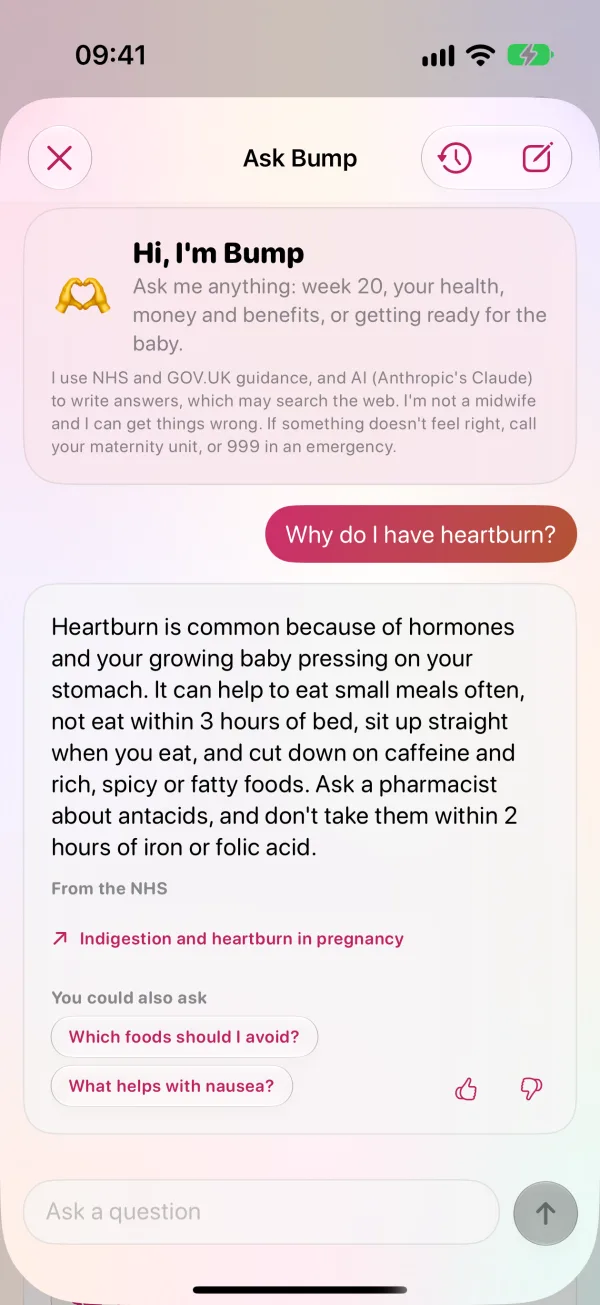
Ask about pregnancy from any screen and get an answer written from NHS pages, with links to read more. Warning signs always get your hospital's number first.
Feel every kick
Tap when you feel the baby move, or ask Siri or the Action button to log it without opening the app. A calendar shows every day's moves, so you both learn the usual pattern.
Little nudges
One tap tells your partner you're thinking of them, fancy a snack, or the baby's kicking. They can reply with a tap too.
Look after yourself
Private daily check-ins, a movements log, blood pressure and weight with Apple Health, and reminders for folic acid and vitamin D.
Getting ready
Plan for the big day
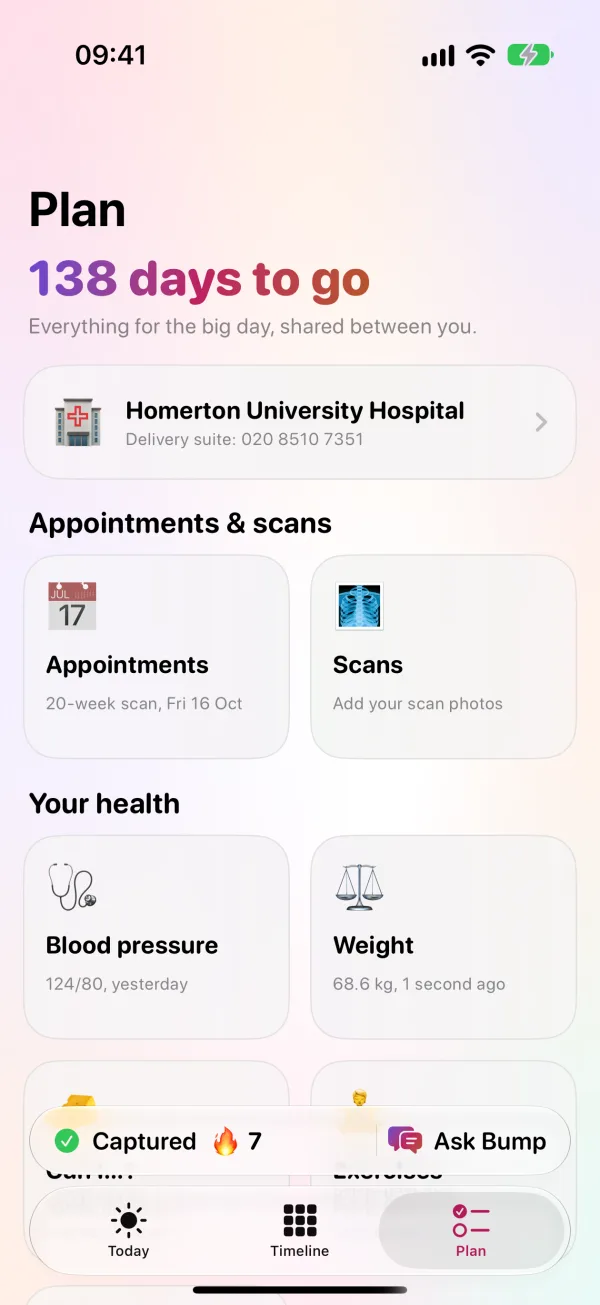
Appointments with the NHS schedule, scan photos, a shared hospital bag checklist and a birth plan to share with your midwife.
Your hospital, one tap away
Choose where you're booked, and call its maternity triage line in one tap from anywhere it matters.
Contractions, timed together
A contraction timer on your Lock Screen and Apple Watch, shared with your partner, with NHS advice on when to call.
Letters to your baby
Write to your baby now, sealed until a date you choose, like their 18th birthday. Share them with your partner, or keep them just yours.
Find the name together
Swipe through thousands of names, each with its meaning or popularity. Your votes stay private until you both like the same one.
Baby's here
Share the news
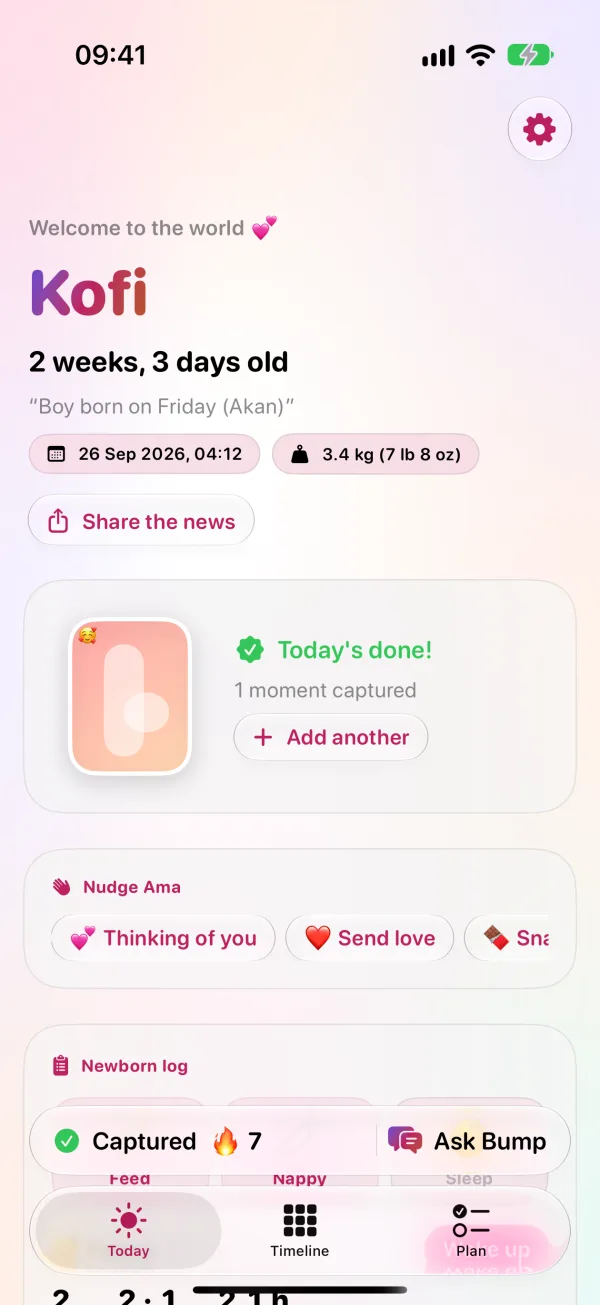
Tell the people in your diary, then keep it going: a shared log of feeds, nappies and sleep, check-ins for how you're both feeling, and NHS guidance for the early weeks.
Baby's firsts
The first smile, the first laugh, the first word: keep each one with the date, a photo and a note, and your partner gets a little nudge.
Your keepsake book
Turn the diary into a book to save, share or print: a page for every week with your photos, moods and milestones, the scans, and the birth.
Your bump movie
Every photo, stitched into a gentle time-lapse with music. The whole pregnancy in under a minute.
Gentle, honest, and yours.
Made for both of you
One diary on two phones. Your partner adds moments, reacts, and gets tips for their side of it.
How it worksBuilt on NHS guidance
Health information is summarised from NHS pages and links back to them. Triage numbers are checked on each trust's own website.
Is Ask Bump medical advice?Private by design
No adverts, no tracking, and your data is never sold. Export your diary or delete your account at any time.
Read the privacy policySupport if things change
If a pregnancy ends, you can pause the diary for both of you, and find NHS and charity support.
How pausing works
Bump Diary isn't a medical device and doesn't give medical advice. If you're worried about yourself or your baby, contact your midwife or maternity unit. If your baby is moving less than usual, call them straight away. In an emergency, call 999.
How do I invite my partner?
Can I log kicks without opening the app?
Is Ask Bump medical advice?
Our baby is here. What happens to the diary?
Our pregnancy has ended.
How do I export or delete my data?
Start your story, one photo at a time.
Free on iPhone and Apple Watch. No trial that turns into a charge, and no adverts, ever.